
📺 How to Use IPTV Free Trial on Different Devices (Complete Guide)
The best apps to test IPTV free trials are TiviMate, IPTV Smarters Pro, and Perfect Player. These apps offer stable playback, fast channel switching, and full support for IPTV trial formats like M3U and Xtream Codes.
Trying an iptv free trial is the smartest way to test a service before committing to a paid subscription 💡. A free trial allows you to check streaming quality, channel variety, device compatibility, and overall performance — all without risk.
However, many users struggle because IPTV trials work slightly differently on different devices. In this guide, you’ll learn how to use an IPTV free trial on all major devices, step by step, so you can test properly and make the right decision.
✅ What You Need Before Using an IPTV Free Trial
Before setting up your IPTV trial on any device, make sure you have the following:
-
🔑 An active IPTV free trial
-
🌐 Stable internet connection
-
Minimum: 10 Mbps (HD)
-
Recommended: 25+ Mbps (4K)
-
-
📲 A compatible IPTV player app
-
🧾 Login details (M3U URL or Xtream Codes)
👉 If you haven’t chosen one yet, always start with a reliable IPTV free trial that supports your preferred device.
🔄 How IPTV Free Trials Work on Different Devices
Most IPTV free trials are provided in one of these formats:
-
📄 M3U playlist URL
-
🔐 Xtream Codes (Username, Password, Server URL)
While the credentials stay the same, the apps and setup steps vary by device, which we explain below.
🔥 How to Use IPTV Free Trial on Firestick / Fire TV
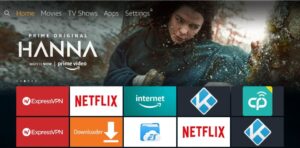
Firestick is one of the most popular devices for testing IPTV free trials.
📌 Steps:
-
Go to Settings → My Fire TV → Developer Options
-
Enable Apps from Unknown Sources
-
Install the Downloader app
-
Download an IPTV player (e.g., IPTV Smarters, TiviMate)
-
Open the app and select:
-
Xtream Codes Login or
-
Load Playlist (M3U URL)
-
-
Enter your trial details and refresh channels
🧪 What to Test:
-
⚡ Channel switching speed
-
📡 Live TV buffering
-
🏟️ Sports & HD channels
-
📅 EPG loading time
Firestick gives a real-world IPTV experience, making it ideal for testing.
📺 How to Use IPTV Free Trial on Android TV
Android TV devices (NVIDIA Shield, Xiaomi Mi Box, Android Smart TVs) offer smooth and powerful IPTV playback.
📌 Steps:
-
Open Google Play Store
-
Install a compatible IPTV player for example iptv smarters pro
-
Launch the app and log in using your trial credentials
- you can get the credentials from www.tenetstreams.com
-
Allow channels and EPG to load
✅ Advantages:
-
🚀 Faster navigation
-
🧠 Better app stability
-
🎬 Excellent for 4K IPTV trials
🖥️ How to Use IPTV Free Trial on Smart TVs (Samsung & LG)
Smart TVs use different IPTV apps depending on the operating system.
📺 Samsung Smart TV (Tizen OS):
-
Install Smart IPTV or Flix IPTV
-
Upload your M3U playlist via the app’s website
-
Restart the app to load channels
📺 LG Smart TV (WebOS):
-
Install Smart IPTV or IBO Player
-
Upload playlist externally using the provided portal
⚠️ Note: Some Smart TV apps require a one-time activation fee, even for trials.
📱 How to Use IPTV Free Trial on iPhone & iPad (iOS)
Apple devices support IPTV trials, but with fewer app options.
📌 Steps:
-
Install an IPTV app from the App Store
-
Choose Add Playlist or Xtream Codes
-
Enter your IPTV free trial details
-
Reload channels and start testing
👍 Best Use Cases:
-
📋 Checking channel lists
-
🎥 Browsing VOD content
-
👀 Light viewing (not ideal for long sessions)
💻 How to Use IPTV Free Trial on Windows & Mac
Desktop devices are excellent for testing IPTV trial stability.
🖥️ Windows:
-
Use IPTV desktop apps or web-based IPTV players
-
Add M3U or Xtream Codes credentials
🍎 Mac:
-
Install IPTV-compatible media players
-
Load playlist URL and refresh content
🧠 Why Desktop Testing Helps:
-
Easier troubleshooting
-
Faster switching between multiple trials
-
Better insight into buffering issues
📲 How to Use IPTV Free Trial on Android Phones
Android phones are very flexible for IPTV free trials.
📌 Steps:
-
Install an IPTV app from the Play Store
-
Add your trial login details
-
Test streams on Wi-Fi and mobile data
🔍 What to Test:
-
📶 Network compatibility
-
⚙️ App responsiveness
-
📅 EPG accuracy
❗ Common Problems When Using IPTV Free Trials (And Fixes)
😖 IPTV Trial Buffers Frequently
-
Check internet speed
-
Switch IPTV apps
-
Test during peak hours
🚫 Channels Not Loading
-
Refresh playlist
-
Re-enter credentials
-
Confirm the trial hasn’t expired
❓ Trial Not Working on Certain Devices
-
Device restrictions by provider
-
App incompatibility
-
Wrong login method used
🧠 Best Tips for Testing IPTV Free Trials Properly
-
⏰ Test during evening & live sports hours
-
🔄 Try 2–3 different IPTV apps
-
📺 Check Live TV, Sports, and Movies
-
❌ Don’t judge based on the first 5 minutes
-
🎯 Test on your main device, not just mobile
🏁 Final Thoughts
Using an IPTV free trial on different devices helps you understand how a service performs in real conditions 🌍. Each device offers unique insights, and testing across multiple platforms ensures you make a confident choice.
Always begin with a trusted IPTV free trial, test it thoroughly, and evaluate performance before upgrading to a paid plan.
❓ Frequently Asked Questions About IPTV Free Trials
🤔 What is an IPTV free trial?
An IPTV free trial is a limited-time test offered by IPTV providers that allows users to stream live TV channels, sports, movies, and VOD before purchasing a subscription. Trials usually last 24 to 48 hours, though some providers offer longer testing periods.
📺 Can I use one IPTV free trial on multiple devices?
In most cases, no. Many IPTV free trials are restricted to one device and one IP address. If you try to use the same trial on multiple devices simultaneously, it may stop working. Always check the provider’s trial rules before testing.
🔥 Which device is best for testing an IPTV free trial?
The Amazon Firestick and Android TV devices are considered the best for testing IPTV free trials because they:
-
Support the most IPTV apps 📲
-
Offer smoother playback 🚀
-
Provide better performance for HD and 4K streams 🎬
📡 Why does my IPTV free trial buffer?
Buffering during an IPTV free trial can happen due to:
-
Slow internet speed 🌐
-
High server load during peak hours ⏰
-
Poor IPTV player choice ⚙️
-
ISP throttling in some regions
Testing during evening hours helps reveal real performance.
🔐 Do I need a VPN for IPTV free trials?
A VPN is not always required, but it can help if:
-
Your ISP throttles IPTV traffic
-
You experience regional blocking
-
You want extra privacy while testing
If buffering improves with a VPN, it’s a good sign for long-term use. You can use good vpns such as nord vpn, surfshark or proton vpn.
📱 Can I use an IPTV free trial on my phone?
Yes ✅. IPTV free trials work on Android and iOS devices using compatible apps. Mobile testing is useful for checking channel lists and VOD content, but it’s best to test on your main viewing device for accurate results.
⏳ How long should I test an IPTV free trial?
You should test an IPTV free trial for:
-
At least 1–2 hours
-
During peak viewing times
-
Across multiple channel categories (Live TV, Sports, Movies)
Short tests don’t reveal real performance issues.
🚫 Why did my IPTV free trial stop working?
An IPTV free trial may stop working because:
-
The trial period expired ⏱️
-
The provider detected multiple logins
-
Incorrect playlist or login details were used
-
Device restrictions were violated
Always recheck credentials before assuming the service is faulty.
🏁 Is an IPTV free trial enough to choose a provider?
An IPTV free trial is the best starting point, but you should also consider:
-
Customer support responsiveness 💬
-
Payment options 💳
-
Long-term stability reputation ⭐
A good trial usually reflects the paid service quality..
Pingback: What to Check During an IPTV Free Trial (Complete Testing Checklist)
Pingback: Best Apps to Test IPTV Free Trials (Top IPTV Players for 2025)